
🧠 Introduction
Is your ChatGPT stuck on loading and not responding?
You might notice:
- ChatGPT loading forever
- “Thinking…” that never finishes
- Blank or delayed responses
This is a common issue when using ChatGPT, especially during peak hours or due to browser problems.
👉 The good news? Most loading issues can be fixed in just a few minutes.
In this guide, you’ll learn 6 proven fixes that actually work.
⚠️ Why Is ChatGPT Stuck on Loading?
Before fixing it, here are the most common reasons:
- 🌐 Unstable or slow internet
- 🚦 OpenAI servers under heavy load
- 🧠 Corrupted browser cache
- 🔌 Conflicting extensions
- 🔐 Session or login issues
⚡ Quick Fix (Try This First)
If you want the fastest solution, try this:
👉 Step-by-step:
- Refresh the ChatGPT page
- Switch to another network (WiFi → mobile data)
- Log out and log back in
👉 In many cases, this solves the issue instantly.
🔧 Fix 1: Check Your Internet Connection

A weak connection can cause ChatGPT to keep loading forever.
👉 What to do:
- Run a speed test
- Ensure at least 10 Mbps
- Restart your router
👉 Why this works: ChatGPT requires a stable connection to load responses in real time.
🔧 Fix 2: Refresh or Restart ChatGPT
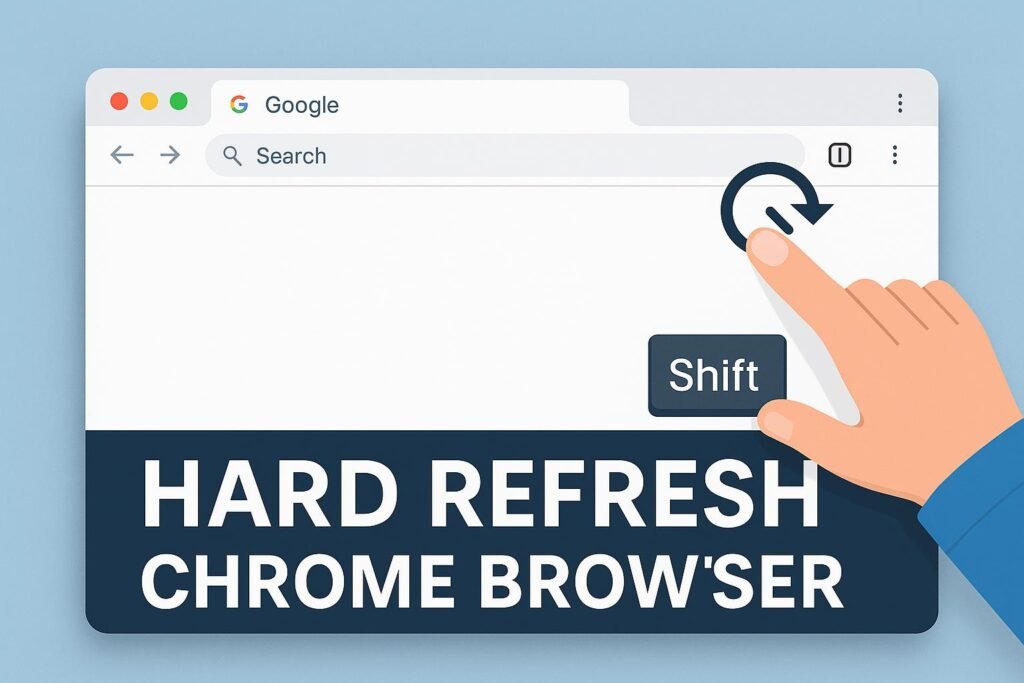
Temporary glitches can block loading.
👉 Try:
- Press F5 / Refresh
- Close and reopen your browser
👉 Why this works: It resets temporary loading errors.
🔧 Fix 3: Clear Browser Cache & Cookies
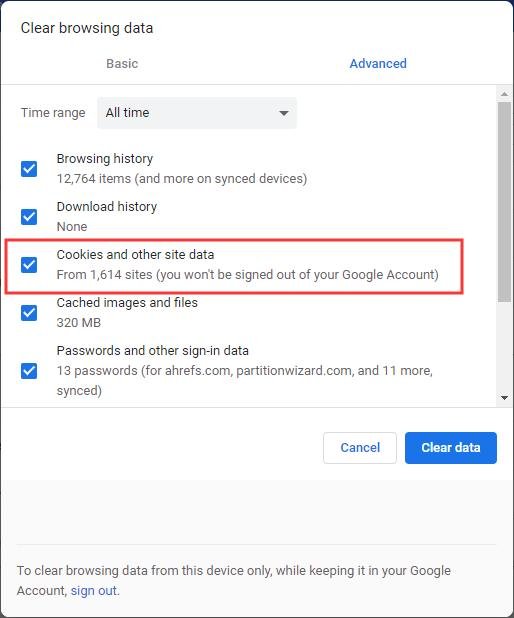
Corrupted cache can break ChatGPT.
👉 Steps:
- Open browser settings
- Go to Privacy → Clear browsing data
- Select Cache & Cookies
👉 Why this works: Removes outdated or broken data.
🔧 Fix 4: Disable Browser Extensions
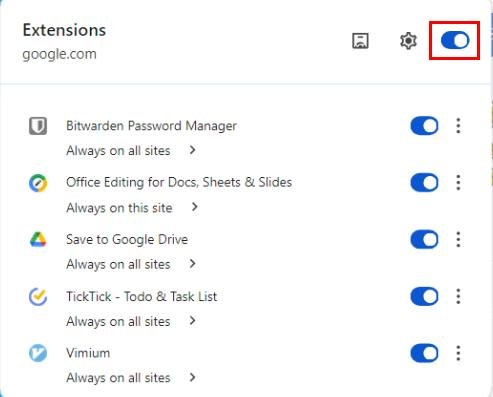
Extensions often interfere with ChatGPT.
👉 Especially:
- Ad blockers
- VPN extensions
- Privacy/security plugins
👉 Why this works: Eliminates conflicts affecting loading.
🔧 Fix 5: Check ChatGPT Server Status
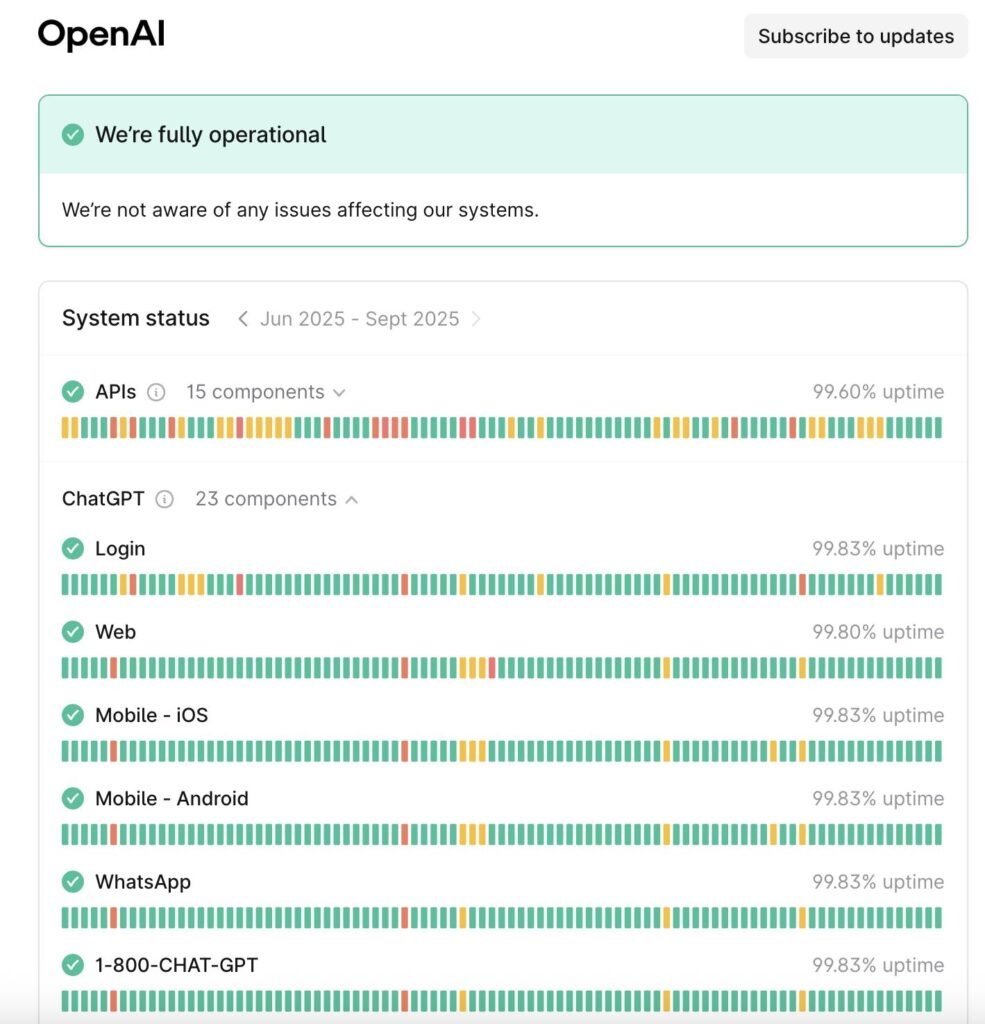
Sometimes the issue isn’t you.
👉 Check:
- OpenAI status page
- Search “ChatGPT down”
👉 Why this works: Confirms if the issue is global.
🔧 Fix 6: Try Another Browser or Device
The problem may be your setup.
👉 Try:
- Chrome → Edge / Firefox
- Desktop → Mobile
👉 Why this works: Identifies device-specific issues.
❓ FAQ
Why is ChatGPT loading forever?
Usually due to:
- Server overload
- Internet issues
- Browser problems
How do I fix ChatGPT stuck on loading screen?
👉 Best quick solution:
- Refresh the page
- Clear cache
- Disable extensions
Is ChatGPT down right now?
👉 It might be.
Check the server status to confirm.
🧠 Conclusion
ChatGPT stuck on loading can be frustrating—but it’s usually easy to fix.
👉 By checking:
- Your internet
- Your browser
- Server status
🔗 Related Guides
👉 You may also find these helpful:
You can solve the issue in minutes.